Tag: Practice management

  • Compliance Calendar for CA Firms: Tax Year 2026-27 Guide

    Compliance Calendar for CA Firms: Tax Year 2026-27 Guide

    November is a heavy month for any CA firm. Income tax returns for audit cases are due on 21 November 2026 after this year’s extension, annual returns (MGT-7) for companies that held their AGM on 30 September fall due on 29 November, and GSTR-3B and TDS deposits keep arriving on their usual dates. For a firm with 150 clients, that can mean several hundred separate filings in one month.

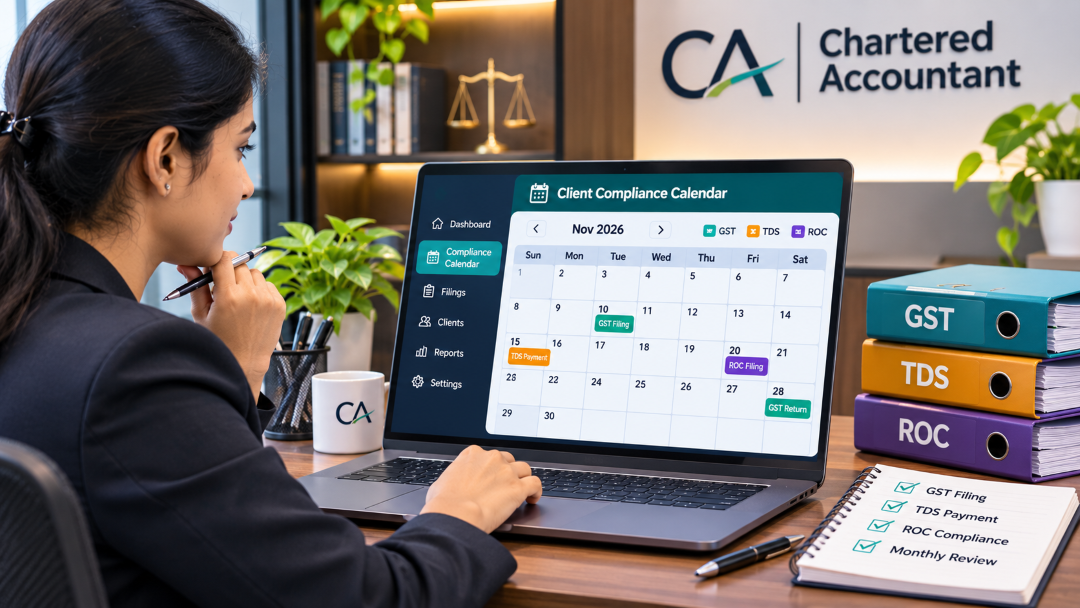
    This guide explains how to build a compliance calendar for CA firms that holds every client’s deadlines in one place: which dates it must cover, what changed in Tax Year 2026-27 under the new Income-tax Act, how to turn the calendar into assigned work, and what to look for if you move it into practice management software.

    Why spreadsheets stop working

    Most firms start with an Excel sheet: one row per client, one column per return. It works with 30 clients. Around 100, it starts to break.

    • Each partner keeps their own copy, so nobody sees the whole month.
    • A tick doesn’t show where a filing really is, for example “documents still pending from the client” or “prepared, waiting for review”.
    • Chasing documents happens on WhatsApp and email, outside the sheet, so delays are invisible until the last two days.
    • Billing is disconnected. Filed work sits unbilled because nothing links a completed return to an invoice.

    Misses are also getting harder to fix. Since December 2025 the GST portal has blocked any return filed more than three years after its original due date.

    The recurring deadlines your calendar must hold

    These are the standard dates for Tax Year 2026-27. Extensions are common, so treat this as the base calendar and update it whenever the CBDT, CBIC or MCA announces a change.

    AreaFiling or paymentUsual due date
    GST (monthly filers)GSTR-111th of the next month
    GST (monthly filers)GSTR-3B20th of the next month
    GST (QRMP, turnover up to ₹5 crore)GSTR-1 / GSTR-3B13th / 22nd or 24th (by state) of the month after the quarter
    GST (QRMP)PMT-06 tax payment25th of the next month, for the first two months of the quarter
    TDSDeposit7th of the next month; 30 April for March deductions (non-government)
    TDSQuarterly returns31 July, 31 October, 31 January and 31 May
    ROC (companies)AGMWithin six months of year-end (30 September for a March year-end)
    ROC (companies)AOC-4 / MGT-7 or MGT-7AWithin 30 days / 60 days of the AGM
    Income tax (audit cases)Tax audit report / returnExtended this year to 21 October / 21 November 2026 (AY 2026-27)

    Two details catch firms out. The ROC dates run from each company’s actual AGM date, so a company that met on 12 September has earlier deadlines than one that met on 30 September. And QRMP clients in different states have different GSTR-3B dates.

    What changed in Tax Year 2026-27

    The Income-tax Act, 2025 replaced the 1961 Act from 1 April 2026. Three changes affect how a firm runs its calendar:

    • “Tax Year” replaces “Assessment Year” and “Previous Year”. The tax year matches the financial year. Update your client masters, task names and templates.
    • Forms have new numbers. Form 16 is now Form 130, Form 16A is Form 131, and the quarterly TDS returns have moved to new forms too. Returns for quarters of FY 2025-26 still go on the old forms. The new forms start with Q1 of Tax Year 2026-27.
    • TDS deposit timelines did not change. The Income-tax Rules, 2026 keep the 7th-of-the-month rule and the 30 April date for March deductions.

    For the next year or so your calendar will hold both kinds of work: corrections and late filings for old-Act periods, and regular filings under the new Act. Label each task with the law and form it falls under, so nobody files on the wrong form.

    Building a client-wise compliance calendar

    1. Create a master record for every client entity: PAN, each GSTIN, TAN, CIN or LLPIN, GST filing frequency (monthly or QRMP), state, audit applicability and AGM date. A group with three companies is three entities.
    2. Generate the recurring tasks from that record. A monthly GST filer with a TAN gets GSTR-1, GSTR-3B and TDS tasks every month. A QRMP client gets quarterly returns and monthly PMT-06 instead.
    3. Set an internal due date before the statutory one. Three to five working days ahead leaves room for review and portal problems.
    4. Give every task a preparer and a reviewer, so the work belongs to named people, not “the team”.
    5. Track real status, not a tick: documents requested, documents received, in preparation, in review, filed, acknowledgement saved.
    6. Request documents from the task itself, with automatic reminders, instead of chasing on WhatsApp.
    7. Store the acknowledgement against the client as soon as a return is filed, then raise or update the invoice.
    8. Hold a 20-minute review every Monday: what’s due in the next seven days, what’s stuck waiting on clients and who is overloaded.

    Look after client data

    A CA firm holds some of the most sensitive data its clients have: PAN and Aadhaar details, bank statements, salary data and passwords for government portals. The Digital Personal Data Protection Rules, 2025 are coming into force in phases, with most obligations due by mid-May 2027. In practice that means collecting documents through a controlled upload link rather than personal WhatsApp, giving each staff member access only to the clients they work on, and knowing what you would do if a laptop or account were compromised.

    What to look for in CA practice management software

    If you’re moving your calendar out of Excel, use this checklist in every demo:

    1. Does it generate recurring deadlines from each client’s details (monthly vs QRMP, state, audit, AGM date), or do you have to type every one?
    2. Has it been updated for the Income-tax Act, 2025, including Tax Year labels and the new form numbers?
    3. Can each task have a preparer, a reviewer and an internal due date?
    4. Can clients upload documents through a link, with reminders?
    5. Does it store filing acknowledgements against each client?
    6. Does it connect work to billing: retainers, one-off jobs and what is still unpaid?
    7. Can you control access by role and by client, and see who changed what?
    8. Can you export all your data if you ever leave?

    If cost is the main concern, compare paid tools with the practice management software the ICAI offers its members free of cost, before you decide.

    Frequently asked questions

    What is a compliance calendar for a CA firm?

    It is a client-wise schedule of every statutory filing and payment the firm handles, such as GST returns, TDS deposits and returns, ROC filings and income tax returns, with an owner, an internal due date and a status for each one.

    Did the Income-tax Act, 2025 change TDS due dates?

    The deposit timelines stayed the same: the 7th of the following month, and 30 April for March deductions by non-government deductors. What changed are the section references, the form numbers and the move from Assessment Year to Tax Year.

    How far ahead of the statutory date should internal deadlines be?

    Most firms work best with three to five working days. That leaves time for a reviewer to check the return, for clients to answer last questions and for portal slowdowns near the due date.

    Is Excel enough for a small practice?

    For a sole practitioner with a few dozen clients, a well-kept sheet can work. Once several people share the work, or clients have multiple registrations, a shared system with status tracking and reminders usually saves more time than it costs.

    Does the DPDP Act apply to CA firms?

    The Act applies to anyone who decides how digital personal data is processed, which includes firms that hold clients’ PAN, Aadhaar, bank and salary details. Most obligations under the DPDP Rules, 2025 apply from mid-May 2027, so this is a good time to tighten how documents are collected and who can see them.

    Key takeaways

    • A compliance calendar for CA firms should be client-wise, built from each entity’s registrations, and show real status, not just ticks.
    • Tax Year 2026-27 brings new terms and form numbers under the Income-tax Act, 2025, while TDS deposit dates stay the same.
    • ROC and QRMP dates differ from client to client, so generate them from each client’s details rather than one fixed list.
    • Set internal deadlines three to five days early, with a named preparer and reviewer for every filing.
    • Collect documents through controlled links and limit access by client, ahead of the DPDP obligations in 2027.

    ConsultDesk360 is Ridgeveda’s practice management software for CA, CS and tax consultants. It brings together a client workspace, a compliance calendar for GST, TDS, ROC and income tax, task allocation, document requests, billing and filing history. If you’d like to see how it would handle your client list, book a walkthrough.

    Sources

    1. Income Tax Department, CBDT Circular No. 7/2026 (extension of tax audit report and return due dates, AY 2026-27), September 2026.
    2. Income Tax Department, Tax payments FAQ (TDS deposit timelines under the Income-tax Rules, 2026), accessed November 2026.
    3. TaxGuru, “Income-tax Act 2025: TDS/TCS forms for deductors” (Tax Year and form transition), 2026.
    4. TaxGuru, “Key Changes in Income Tax Forms under Income Tax Act 2025” (Form 130 and Form 131), 2026.
    5. ClearTax, “TDS Return Filing & Payment Due Dates for FY 2026-27”, accessed November 2026.
    6. SoftwareSuggest, “GST Return Due Dates for 2026–27”, accessed November 2026.
    7. Treelife, “15 changes in 2026 that every GST-registered business must act on” (three-year filing block), 2026.
    8. TaxGuru, “Annual ROC compliance 2026: AOC-4 and MGT-7”, 2026.
    9. Press Information Bureau, “DPDP Rules, 2025 Notified”, 17 November 2025.
    10. ICAI Board for Small & Medium Practitioners, Practice Management Software for CA practitioners, accessed November 2026.
  • How to Choose Clinic Management Software in India.

    How to Choose Clinic Management Software in India.

    Most clinics pick their software after a single demo and a price quote. Six months later, the receptionist still keeps a paper register “just in case”, the pharmacy stock never matches, and nobody can say what last month’s collection was without a calculator.

    Choosing clinic management software is hard to undo. Once your patient records, billing history and stock live in a system, switching is slow and expensive. This guide walks through how to choose well: map your workflow first, check the features that matter, run the India-specific compliance checks, compare cloud and on-premise, understand the real cost, and roll it out without disrupting your OPD.

    Start with your workflow, not the feature list

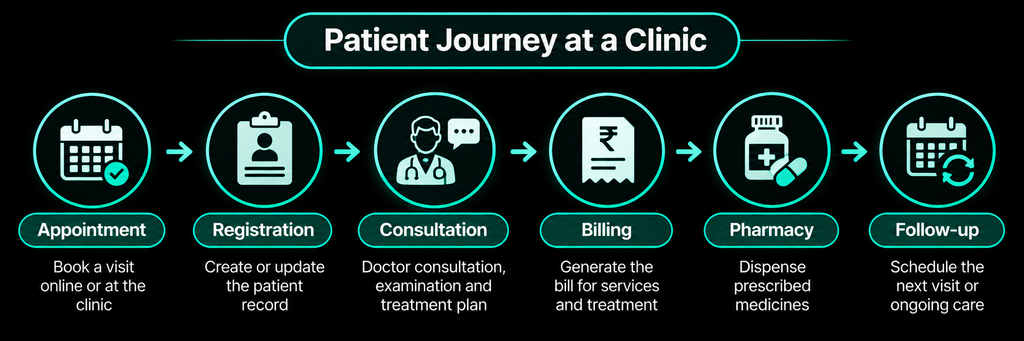
    Every vendor’s feature list looks complete. What matters is whether the software fits the way patients actually move through your clinic. Before any demo, spend 30 minutes with your front-desk staff and write down each step:

    1. Appointment: phone, WhatsApp, walk-in or online booking
    2. Registration and queue token
    3. Consultation, notes and prescription
    4. Billing and payment
    5. Pharmacy, lab or procedure
    6. Follow-up reminder

    Next to each step, note where time is lost today. For a three-doctor clinic in Kukatpally, the answer might be a long queue at registration, prescriptions the pharmacy can’t read, and stock that runs out without warning. Those bottlenecks are your shortlist criteria. Everything else is secondary.

    Core features to check

    Appointments and queue

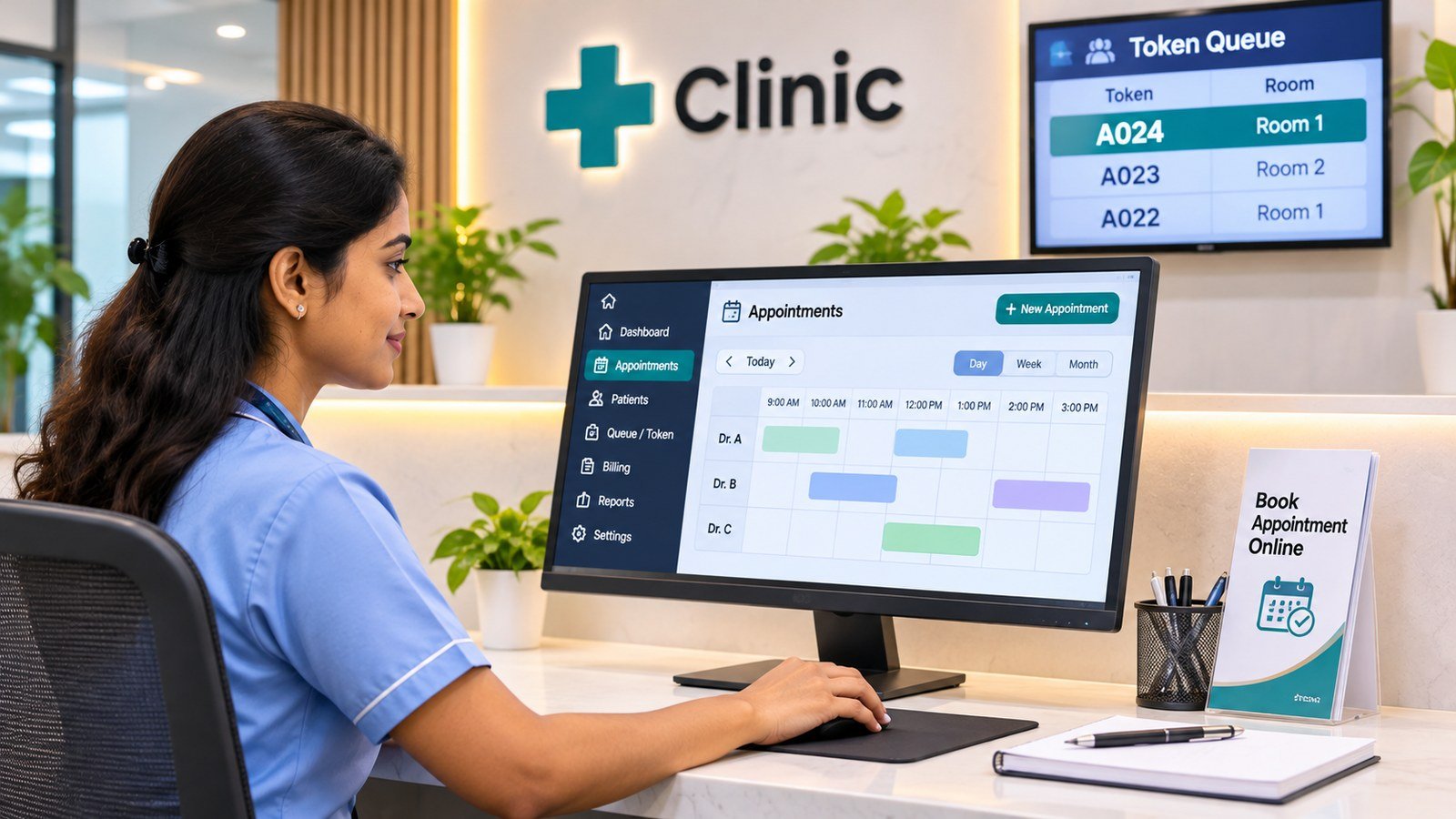
    Look for online booking, automatic SMS or WhatsApp reminders, and a token system for walk-ins that shows the doctor who is waiting. Ask whether reminder messages cost extra per message; for busy clinics this adds up.

    Patient records and prescriptions

    The electronic medical record should hold visit history, diagnoses, prescriptions, allergies and attachments such as lab reports. Prescription templates for your common conditions save doctors the most time. If you’re unsure how far records should go, our guide to EMR vs EHR for Indian clinics explains the difference and why ABDM matters.

    Billing

    Billing should handle consultation fees, procedures, packages, partial payments, refunds and UPI or card receipts. Discounts should need a manager’s approval and be logged.

    Check how the software treats GST. Health care services by a clinical establishment or an authorised medical practitioner are exempt under entry 74 of Notification No. 12/2017-Central Tax (Rate). Several advance rulings have treated medicines supplied to in-patients as part of that exempt service, while pharmacy sales to out-patients have been held taxable. Your software needs to tell these apart. Confirm the treatment for your clinic with your chartered accountant.

    Pharmacy and inventory

    If you run an in-house pharmacy, you need batch and expiry tracking, low-stock alerts and purchase entries. Schedule H1 compliance matters too. Under Rule 65(3)(h) of the Drugs Rules, each Schedule H1 sale must be recorded in a separate register with the prescriber’s name and address, the patient’s name, the drug and the quantity supplied. The government’s TB programme guidance advises keeping these records for three years. Good software builds that register automatically as you bill.

    Reports, staff and access

    You should be able to see daily collections, doctor-wise revenue, pending payments and stock value without exporting to Excel. Each user should see only what their role needs: reception, doctors, pharmacy and accounts. Every change to a bill or record should be logged with who made it.

    More than one branch?

    If you have, or plan, a second location, insist on one patient record across branches, branch-wise billing and stock, and a single owner dashboard. Retrofitting multi-branch support later rarely works well.

    India-specific checks

    • ABDM. Ask which ABDM integration milestones the product has cleared. Software that can verify a patient’s ABHA and share records with consent will matter more each year.
    • Giving patients their records. Under the Indian Medical Council (Professional Conduct, Etiquette and Ethics) Regulations, 2002, records requested by a patient, an authorised attendant or legal authorities must be issued within 72 hours. Check how quickly the software prints or exports a complete patient file.
    • Teleconsultations. If you consult by phone or video, the Telemedicine Practice Guidelines, 2020 expect the same documentation as in-person visits, including case history, reports and copies of prescriptions. The software should record teleconsults in the same patient file.
    • Data protection. The Digital Personal Data Protection Rules, 2025 are being phased in, with the main obligations due by mid-May 2027. Ask how the vendor handles consent, encryption and access control.
    • Security incidents. CERT-In’s 2022 directions require service providers and body corporates to report cyber incidents within six hours of noticing them and to keep system logs for 180 days in India. Ask your vendor what their incident process is and how they would tell you.

    Cloud or on-premise?

    CloudOn-premise
    Upfront costLower; usually a monthly or yearly subscriptionHigher; licence plus a local server
    Internet needed?Yes, unless the software has an offline modeNo, for use inside the clinic
    Backups and updatesHandled by the vendorYour responsibility
    Access from home or other branchesBuilt inNeeds extra setup
    Where data livesVendor’s servers; ask which countryYour premises

    For most small and mid-sized clinics, cloud is easier to run, provided your internet is reliable or the software keeps working offline and syncs later. Ask to see that offline mode in the demo, not just hear about it.

    Understand the real cost

    Compare the total cost over three years, not the monthly price. Ask each vendor about:

    • How pricing works: per doctor, per branch, per user or flat
    • One-time setup, data migration and training charges
    • SMS and WhatsApp message charges
    • Paid add-on modules such as pharmacy, lab or patient app
    • Hardware you’ll need, such as receipt printers or barcode scanners
    • How much the price can rise at renewal
    • What it costs to export your data if you leave

    10 things to do in the demo

    1. Run your real workflow: register a new patient, prescribe, bill and dispense, while someone times it.
    2. Ask the receptionist who will use it daily to try it, not just the owner.
    3. Print a prescription and a bill on your own printer format.
    4. Check prescription printing in Telugu, Hindi or other languages your patients read, if you need it.
    5. Test it on the computer or phone your staff already use.
    6. Ask for the ABDM milestones cleared, with proof.
    7. Ask to see a full data export.
    8. Ask about support hours, languages and response times, and get them in the contract.
    9. Ask for two references from clinics of your size and speciality, ideally in your city, and call them.
    10. Ask for a trial with a sample of your own data before you sign.

    A 30-day rollout plan

    • Week 1: Set up doctors, fee schedules, procedures, packages and the medicine list. Choose one person to own the system.
    • Week 2: Train reception and start with one doctor. Keep the paper register running in parallel.
    • Week 3: Move all doctors across. Enter opening pharmacy stock with batch and expiry.
    • Week 4: Review reports against your cash and stock. If they match, retire the paper register.

    The most common mistakes are buying for features you’ll never use, skipping data migration, giving everyone admin rights and not testing printing until go-live day.

    Frequently asked questions

    How much does clinic management software cost in India?

    Pricing varies widely by model: per doctor, per branch or flat, and by which modules you need. Rather than comparing monthly prices, ask each vendor for the total cost over three years, including setup, migration, messages, add-ons and renewal increases.Is free clinic software good enough?

    It can be for a single doctor with simple needs. The government’s ABDM materials mention eSushrut@Clinic, a lightweight system from C-DAC aimed at small clinics. Check support, updates and data export before relying on any free tool.Can we switch software later without losing data?

    Only if your current vendor gives you a complete export in a usable format. Ask for a sample export before you sign, and put the export terms in the contract.What if our internet goes down?

    On-premise software keeps working inside the clinic. Cloud software needs internet unless it has an offline mode that syncs later. Ask to see the offline mode during the demo.Is patient data safe on the cloud?

    It can be safer than a single PC at the front desk, if the vendor encrypts data, controls access by role, logs every change and has a tested backup and incident process. Ask for those answers in writing.

    Key takeaways

    • Map your patient journey and bottlenecks before you look at any clinic management software.
    • Check appointments, records, billing (including GST treatment), pharmacy with Schedule H1 records, reports and role-based access.
    • Run the India-specific checks: ABDM milestones, 72-hour record requests, teleconsult records, DPDP and incident reporting.
    • Compare three-year total cost, not monthly price, and get data export terms in the contract.
    • Roll out over four weeks, with paper running in parallel until the reports match.

    If you’re comparing options, CareDesk360 is Ridgeveda’s clinic and hospital management software. Bring your workflow map to a walkthrough and we’ll show you how it would fit, step by step. You can also read more on the CareDesk360 page.

    Sources

    1. Central Board of Indirect Taxes and Customs, Notification No. 12/2017-Central Tax (Rate), 28 June 2017, entry 74 (health care services), as summarised in advance rulings including Rajarajeswari Hospitals, Tamil Nadu AAR, 29 January 2026.
    2. Drugs Rules, 1945, Rule 65(3)(h) (Schedule H1 register).
    3. National TB Elimination Programme, Schedule H1 guidance for chemists, accessed November 2026.
    4. National Medical Commission, Indian Medical Council (Professional Conduct, Etiquette and Ethics) Regulations, 2002, regulation 1.3.2.
    5. Board of Governors in supersession of the Medical Council of India, Telemedicine Practice Guidelines, 25 March 2020.
    6. Press Information Bureau, “DPDP Rules, 2025 Notified”, 17 November 2025.
    7. CERT-In, Directions No. 20(3)/2022-CERT-In under Section 70B(6) of the IT Act, 28 April 2022, summary by Mondaq.
    8. Press Information Bureau, “Ayushman Bharat Digital Mission: India’s Digital Health Backbone”, 6 July 2026.